



Introduction
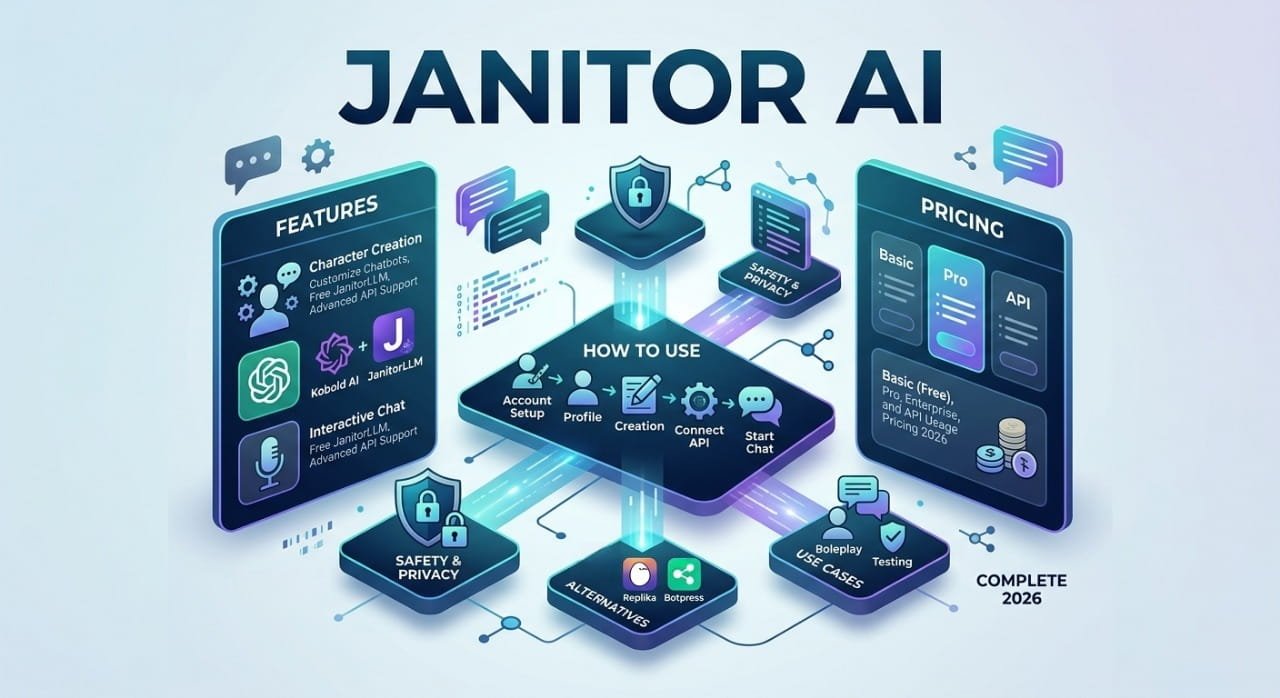
At Techniver, we test language models daily. We spent the last month testing Janitor AI. We checked its natural language processing (NLP) and API setup. It is a highly popular chatbot platform. It lets you create and chat with custom digital characters. It is perfect for deep roleplay, storytelling, and basic automation.

The website uses a simple, no-code system. It connects to models like OpenAI and JanitorLLM to generate human-like text. You define the personality, and the machine plays the role. However, you must configure it right to get good replies. This guide shows you exactly how to connect your APIs, track your token costs, and build perfect characters from scratch.
What Is Janitor AI?
Janitor AI is a web-based chat platform. It was created to give writers complete creative freedom. Users do not ask this tool to write professional emails. They do not ask it to solve complex math problems. Instead, users create custom digital characters. They assign them unique personalities and talk to them in real time.
The platform focuses entirely on narrative storytelling and entertainment. You talk to a fictional persona. The AI then reads your message and replies in character.
The Unrestricted Content Mode
Traditional AI tools enforce strict safety filters. These filters block mature themes and violent scenes. Janitor AI does not do this. It includes an age-restricted NSFW toggle. Users must verify their age first. After that, they get access to unfiltered roleplay environments. This freedom is the main reason millions of users prefer this site over other options.
How It Compares to Character.AI
Character.AI is very famous and easy to use. However, it locks you into its own hidden model. It also uses heavy censorship filters. Janitor AI uses a modular setup. It lets you choose your own AI engine. You get total control over how smart your chatbot behaves. You also control how fast it responds.
If you want to learn how these generative tools process data clusters, read ourAI Search Glossary.
How Janitor AI Works Under the Hood
Many beginners get errors when they first use Janitor AI. To fix these issues, you must understand the technical setup. Janitor AI is only a frontend interface. It holds your profile data. It stores your character images. It displays the website layout.
However, the website itself does not have a native brain. It cannot process text on its own. You must connect it to a backend Large Language Model (LLM) to receive replies.
Here is the exact technical workflow:
- You type a message in the chat box and press enter.
- Janitor AI packages your text with the character’s personality rules.
- It sends this data package to your connected API provider.
- The API provider reads the data and generates a response.
- The provider sends the text back to Janitor AI.
- The website displays the reply on your screen.
If your API provider goes down, the chatbot stops working. If your API key has zero funds, the chatbot also fails.
Janitor AI Pricing and API Configuration (2026)

Your chat experience depends entirely on the backend engine you choose. You have three main paths to configure your chatbot.
1. JanitorLLM Beta (The Free System)
The developers of Janitor AI provide a built-in model called JanitorLLM. This model is completely free. You simply choose it from the settings menu. You can start chatting immediately.
- The Good: It costs zero dollars. It is fast to set up. It requires no technical knowledge.
- The Bad: The model has a limited context window. In long chats, it often forgets older plot points. It may also step out of character.
2. OpenAI API (The Premium System)
You can link an OpenAI developer account for the highest quality dialogue flow. This is a pay-as-you-go service. OpenAI charges you for every word the machine reads. They also charge for every word it writes. The system measures these words in units called tokens.
Our 2026 OpenAI API Price Breakdown:
| Language Model | Input Price (per 1M tokens) | Output Price (per 1M tokens) | Best For |
| GPT-4o-mini | $0.15 | $0.60 | Budget users who want fast and stable replies. |
| GPT-4o | $5.00 | $15.00 | Deep storytelling and creative text flow. |
| GPT-4 Turbo | $10.00 | $30.00 | Long-form, complex roleplay with multiple characters. |
We track how these language models update their data extraction metrics. You can monitor our Free AI Trackerpage for live updates.
3. Kobold AI (The Private Local System)

You can run an AI model locally on your own computer. You use an open-source interface called Kobold AI. This method is 100% free. It is also completely private.
However, you must have a powerful gaming computer. Your graphics card (GPU) must handle the math. A standard 6B parameter model needs at least 6GB to 8GB of VRAM.
Follow these exact setup steps:
- Download and install KoboldAI United on your personal PC.
- Download a roleplay text model like Pygmalion 6B.
- Launch the Kobold software and load the model into your GPU memory.
- Generate a “remote-play” API link from the Kobold window.
- Paste that link directly into the Kobold section inside Janitor AI settings.
The Problem with OpenAI Reverse Proxies
Many online groups share free “Reverse Proxy” links. These links act as middle servers. They let you use OpenAI models without paying. We do not recommend this method. These proxies crash constantly during peak hours. Also, you are sending your private text through an unknown server. This creates a massive privacy risk for your data.
How to Build a Custom AI Character

A weak prompt makes a boring chatbot. To get highly creative responses, you must format your data cleanly. The language model needs clear entities to map its behaviors.
Do not write long, disorganized paragraphs. AI models process structured data much faster. Use brackets to separate your rules. Go to the character creation page. Copy and paste this exact template into the “Personality” box:
[Character Name: "Elias"]
[Age: "32"]
[Appearance: "Tall, sharp jawline, messy dark hair, wears tailored suits."]
[Personality Traits: "Analytical, deeply sarcastic, secretly protective, slow to trust."]
[Speech Style: "Uses short, direct sentences. Often uses dark humor. Never uses emojis."]
[Background Scenario: "Elias is an underground data broker. The user has just broken into his secure server room."]
[Interaction Rules: "Elias will not attack physically. He interrogates the user verbally. He stays in character at all times. He does not speak for the user."]The brackets act as clear data anchors. The AI reads this instantly. It separates the physical traits from the behavioral rules without getting confused.
Troubleshooting: How to Fix Common Errors
Our technical team at Techniver tracks chatbot errors and network downtime. If your Janitor AI chat stops working, use these exact solutions.
Fix 1: “API Key Invalid” Error
This means Janitor AI cannot connect to your OpenAI account.
- The Solution: Log into your OpenAI developer dashboard. Look at your billing tab. You must add at least $5 to your balance to activate the key. Once funded, generate a new key. Paste it back into Janitor AI.
Fix 2: “Context Limit Reached” Error
Every language model has a fixed memory capacity. This is called a context window. When a chat gets too long, the text overflows this limit. The bot then crashes.
- The Solution: Open the chat generation settings menu. Lower the “Max New Tokens” slider to 500 or less. If the chat is still broken, you must start a fresh chat session. This clears the active memory buffer.
Fix 3: The Chatbot Gives Blank Replies
If the AI outputs an empty message, your API provider is likely blocking the text. OpenAI runs an automated safety filter. If your roleplay violates their terms, they return a blank screen.
- The Solution: You must switch your API backend. Change your settings to use JanitorLLM. You can also switch to an uncensored local model via Kobold AI.
Data Privacy and Security Policies
Your data safety depends heavily on your choice of API backend. Janitor AI itself does not save or sell your private text logs. However, external API providers do log your files.
If you use the OpenAI API, your conversations travel to OpenAI servers. They store these logs for 30 days to check for policy abuse. Never type your real name, address, or credit card info into the chat.
If you want absolute privacy, use the Kobold AI local setup. The model runs entirely on your physical graphics card. Your text data stays on your personal hard drive. It never uploads to the internet.
If you want to know how next-generation AI bots crawl and index web entities, read our guide on AEO and GEO Differences.
Janitor AI vs. Main Competitors
The virtual character market is growing fast. Here is how Janitor AI compares to other platforms.
Janitor AI vs. Character.AI
Character.AI offers a smooth mobile app experience. It requires zero technical configuration. However, its strict safety filters block all mature storytelling. Janitor AI is better for authors who want complete creative freedom.
Janitor AI vs. CrushOn AI
CrushOn AI hosts over one million characters. It allows NSFW text immediately. You do not need to set up external API keys. However, CrushOn AI requires a paid monthly subscription. Janitor AI lets you control your expenses by paying only for the tokens you actually use.
Janitor AI vs. WeavAI
WeavAI targets the Asian fiction market. It supports native Traditional Chinese perfectly. It works exceptionally well on mobile viewports. Janitor AI is the better tool for English writers who want advanced API customization.
Final Verdict: Is Janitor AI Worth It?
Janitor AI has a slight learning curve. It is not a simple plug-and-play app. You must learn how to handle API keys, token costs, and structured prompt formatting.
However, if you are a creative writer, an AI enthusiast, or a roleplay fan, it is the most powerful tool available. By letting you choose your own language model backend, it ensures your digital characters are as smart and unrestricted as you want them to be.
Frequently Asked Questions About Janitor AI
Is there an official Janitor AI mobile app?
No. Janitor AI operates only as a website. There is no official app inside the Apple App Store or Google Play Store. Do not download random APK files from online forums. They often contain malware that steals data.
Does Janitor AI allow NSFW text?
Yes. The platform lets users toggle an age filter. Once verified, adult users can create and interact with uncensored roleplay scenarios without facing immediate account bans.
Why is my Janitor AI character speaking out of character?
The model has likely reached its maximum context limit. When chats get too long, the system deletes older memory tokens. To fix this, shorten your character description data or clear your active chat history.
Why is Janitor AI sometimes not working?
Janitor AI may stop working because of server maintenance, API configuration issues, model setup problems, or high traffic overloads. Incorrect API keys and unstable external services can also affect chatbot functionality. Users can usually fix these issues by checking server status, updating settings, or reconnecting APIs. Local AI setups may additionally require proper GPU and CPU configuration.
Which AI models work with Janitor AI?
Janitor AI supports multiple AI models, including OpenAI GPT models, Kobold AI, and JanitorLLM Beta. These models generate chatbot responses based on user-created character personalities and conversation settings. Different AI systems provide different response quality, speed, and customization levels. Users can choose models depending on performance needs and budget requirements.
Can I use a free alternative to the OpenAI API?
Yes. You can select the built-in JanitorLLM beta directly on the website for free. You can also run open-source language models on your own PC using the Kobold AI link option.